Lançado em fevereiro de 2025, o Seedream 5.0 Lite é o melhor modelo de geração de imagens com IA da ByteDance. Você pode usá-lo no Overchat AI para criar imagens impressionantes, e aqui vão alguns motivos pelos quais talvez você prefira ele ao GPT Image 1.5 ou ao Nano Banana Pro, que também estão disponíveis na plataforma.
O Seedream 5.0 Lite é o primeiro modelo de geração de imagens da linha da ByteDance capaz de pesquisar na web em tempo real — construído sobre a excelente base do Seedream 4.5 e agora no mesmo nível dos melhores geradores de imagens do Google e da OpenAI.
Se você quiser experimentar o Seedream 5, pode começar a criar com o novo modelo aqui.
Neste artigo, então, vamos dar mais detalhes sobre o Seedream 5, incluindo como acessá-lo e quanto custa. Vamos começar.
O Seedream 5.0 Lite é o modelo de geração e edição de imagens com IA de próxima geração da ByteDance, que acrescenta pesquisa na web em tempo real, edição de imagens aprimorada, raciocínio espacial e conhecimento especializado por domínio em cima do Seedream 4.5.
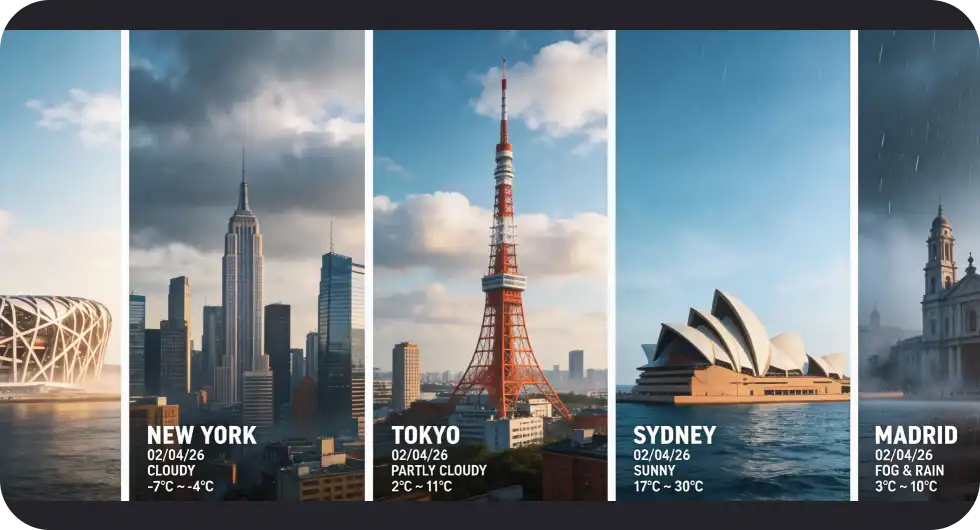
O Conhecimento em Tempo Real permite que o modelo acesse a web durante a geração, de modo que as imagens possam refletir acontecimentos atuais, pessoas reais, marcas específicas e notícias de última hora — é ele que decide quando pesquisar, com base no prompt.
A Edição Avançada de Imagens traz o "aprendizado por exemplo" — basta mostrar ao modelo um par antes/depois, e ele aplica a mesma transformação automaticamente a qualquer nova imagem.
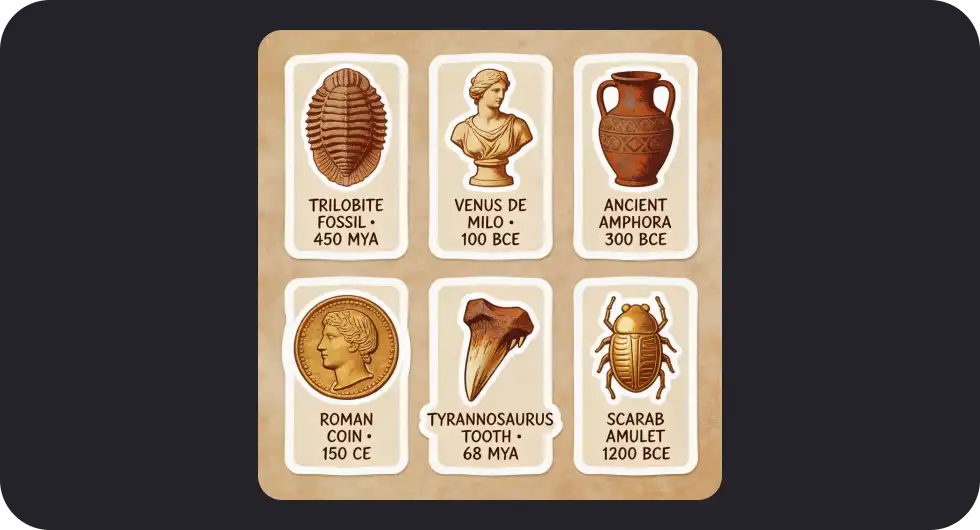
O Conhecimento Especializado por Domínio reúne saber aprofundado em arquitetura, história, biologia, química e física, possibilitando infográficos e diagramas precisos sobre temas densos em informação.
O Raciocínio Espacial acompanha como a luz e os objetos interagem ao longo de várias gerações, produzindo cenas mais naturais, sem o efeito do vale da estranheza.
A Consistência de Personagens mantém os traços faciais, o tom de pele, as roupas e os detalhes de estilo iguais em diferentes poses, ângulos, condições de iluminação e estilos artísticos.
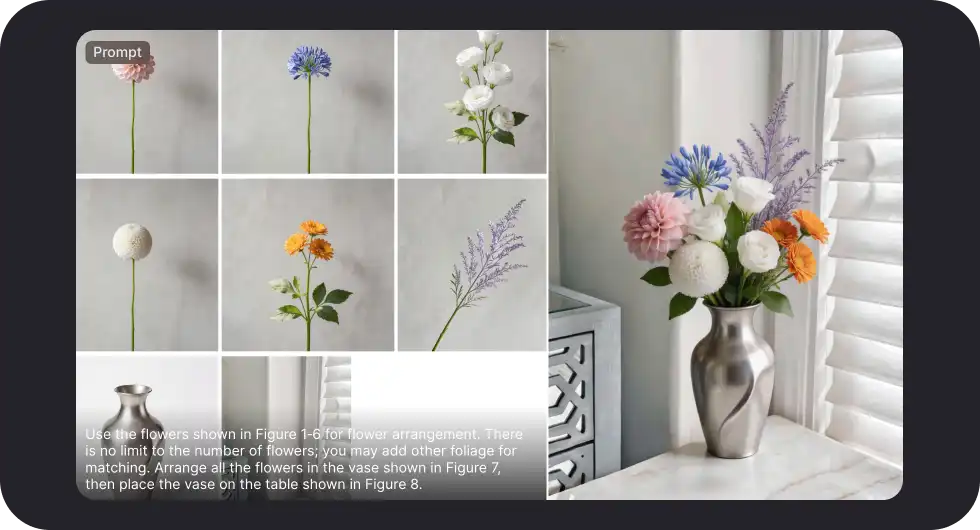
O modelo aceita até 14 imagens de referência simultaneamente — um dos maiores números em 2026 — para composição, iluminação, estilo ou para adicionar objetos e personagens.
Em comparação com o Nano Banana Pro, o Seedream 5 gera imagens com uma aparência mais de câmera digital, enquanto o Nano Banana Pro tende ao visual mais cinematográfico — dá para comparar os dois no Overchat AI.
O que é o Seedream 5.0 Lite?
O Seedream 5 é o modelo de geração e edição de imagens com IA de próxima geração da ByteDance. Veja seus principais recursos em resumo:
Recurso
Especificação
Desenvolvedora
ByteDance
Modos de geração
Texto para imagem, imagem para imagem
Resolução
1K, 2K, 3K, 4K
Pesquisa na web em tempo real
Sim — a primeira da família Seedream
Máximo de imagens de referência
Até 14 por geração
Resolução máxima
Até 4K
Formatos de saída
JPEG, PNG com transparência
Raciocínio
Sim — espacial, físico e específico por domínio
Edição em várias rodadas
Sim
Proporções de tela
1:1, 16:9, 9:16, 4:3, 3:4, 21:9
Em comparação com o Seedream 4.5, a versão 5 acrescenta:
Pesquisa na web em tempo real
Edição de imagens aprimorada
Raciocínio espacial
Conhecimento especializado por domínio
O modelo evoluiu bastante em fidelidade geral da imagem, gerando imagens fotorrealistas e bonitas em uma ampla variedade de temas. Na parte de edição, ele aceita até 14 imagens de referência — um dos maiores números em 2026 —, o que permite montar cenas novas a partir de vários elementos.
Graças à sua capacidade de seguir prompts e respeitar as instruções, o modelo consegue interpretar as referências de várias formas:
Incluir as imagens anexadas na geração final
Remixá-las
Extrair delas pistas de estilo e de iluminação
Mesmo trabalhando com 14 imagens ao mesmo tempo, o modelo não se confunde.
O que você pode fazer com o Seedream 5
O Seedream 5 traz três recursos que permitem a ele alcançar os melhores concorrentes, na figura do Nano Banana Pro e do GPT Image 1.5:
Conhecimento em Tempo Real
O modelo consegue acessar a web ao gerar imagens, o que significa que as imagens criadas podem refletir acontecimentos atuais e incluir pessoas e eventos reais. É o próprio modelo que decide quando pesquisar, com base no seu prompt. Termos sensíveis ao tempo, entidades específicas e temas de nicho disparam automaticamente uma pesquisa on-line para garantir precisão.
O que isso libera? Veja algumas ideias:
Crie um visual sobre uma notícia de última hora — ele busca contexto real.
Imagens de marcas ou produtos específicos
Imagens sobre notícias que estão acontecendo agora (por exemplo, resultados em tempo real de partidas de futebol)
Edição Avançada de Imagens
O Seedream 5 traz um novo e poderoso método de edição: o aprendizado por exemplo. Isso significa que você pode mostrar a ele um exemplo de "antes" e "depois", depois fornecer uma nova imagem, e ele aplicará a mesma transformação à sua foto automaticamente. Em outras palavras, o Seedream 5 oferece uma maneira fácil de aplicar transformações de estilo ou de replicar edições de outras imagens nas suas próprias fotos.
Conhecimento Especializado por Domínio
A criadora desse modelo de geração de imagens, a ByteDance, abasteceu-o com saber especializado em diferentes domínios, incluindo arquitetura, história, biologia, química e física. Isso permite que o modelo produza infográficos, visualizações e diagramas precisos sobre esses temas, resolvendo uma das principais limitações da geração de imagens com IA: a precisão em relação ao mundo real, especialmente em assuntos complexos e densos em informação como esses.
Raciocínio Espacial
O Seedream 5 entende como a luz e os objetos interagem entre si, mantendo o controle disso até mesmo ao longo de várias gerações. Embora você não veja esse processo em tempo real, já que ele acontece internamente no modelo, ele ocorre a cada geração e resulta em cenas que parecem mais naturais, sem o efeito do vale da estranheza, e que soam completamente reais e verossímeis.
Consistência de Personagens
Sempre foi difícil para os geradores de imagens com IA preservar a identidade entre diferentes gerações. O Seedream 5.0 Lite avança bastante nesse ponto. Traços faciais, tom de pele, roupas e detalhes de estilo permanecem iguais em diferentes poses, ângulos, condições de iluminação e estilos artísticos.
Onde acessar o Seedream 5
A forma mais rápida de experimentar o Seedream 5 é no Overchat AI. Você já pode começar a gerar imagens com o modelo agora mesmo. Comece a criar com o Seedream 5.0 Lite.
Perguntas frequentes (FAQ)
O que é o Seedream 5.0 Lite?
O Seedream 5.0 Lite é o mais recente modelo de geração de imagens com IA da ByteDance. Ele é construído sobre o Seedream 4.5 e acrescenta pesquisa na web em tempo real, edição baseada em exemplos e raciocínio lógico em várias etapas. Ele gera e edita imagens a partir de prompts de texto, imagens de referência ou ambos.
Seedream 5.0 Lite vs Seedream 4.5 — qual é a diferença?
O Seedream 5.0 Lite acrescenta pesquisa na web, raciocínio lógico e edição baseada em exemplos, o que o torna um modelo melhor para cenas complexas, ao mesmo tempo em que aprimora a fidelidade geral da imagem e o nível de detalhe.
Seedream 5.0 Lite vs Nano Banana Pro — qual é o melhor?
Os dois são modelos de imagem muito bons. Eles têm os mesmos recursos, mas o Nano Banana Pro cria imagens com uma aparência mais cinematográfica, enquanto o Seedream cria imagens que lembram mais as de uma câmera digital. Depende do seu gosto, mas você pode testar os dois no Overchat AI para ver qual prefere.
Quantas imagens de referência o Seedream 5.0 Lite pode usar?
Você pode usar até 14 imagens de referência — use-as para orientar o cenário, a composição, a iluminação e o estilo, ou para adicionar objetos e personagens à cena, tudo ao mesmo tempo.
Considerações finais
A ByteDance lançou o Seedream 5, que é o seu primeiro modelo de geração de imagens capaz também de pesquisar na web, editar usando exemplos e compreender relações espaciais. O novo modelo já está disponível no Overchat AI, e você pode começar a criar com o Seedream 5 aqui.