As 5 Melhores Ferramentas de IA para Restaurar Fotos Antigas: Como Restaurar Fotos Antigas em Menos de 30 Segundos
Last Updated:
2026-09-08
As 5 Melhores Ferramentas de IA para Restaurar Fotos Antigas: Como Restaurar Fotos Antigas em Menos de 30 Segundos
Fotos antigas são preciosas, mas também são frágeis: com o passar do tempo, as cores desbotam, o papel racha e arranha, a água escorre por cima…
Se você está em busca da melhor forma de restaurar uma foto antiga, provavelmente já sabe que uma restauração profissional pode custar mais de US$ 100, dependendo do estado da fotografia, e por isso deve estar procurando uma alternativa. É aí que entram as ferramentas de restauração de fotos com IA.
As ferramentas de restauração de fotos com IA usam modelos de difusão imagem-para-imagem e uma técnica chamada inpainting para regenerar as partes danificadas de fotos antigas — algo fundamentalmente diferente da nitidez, que apenas ajusta os pixels já existentes.
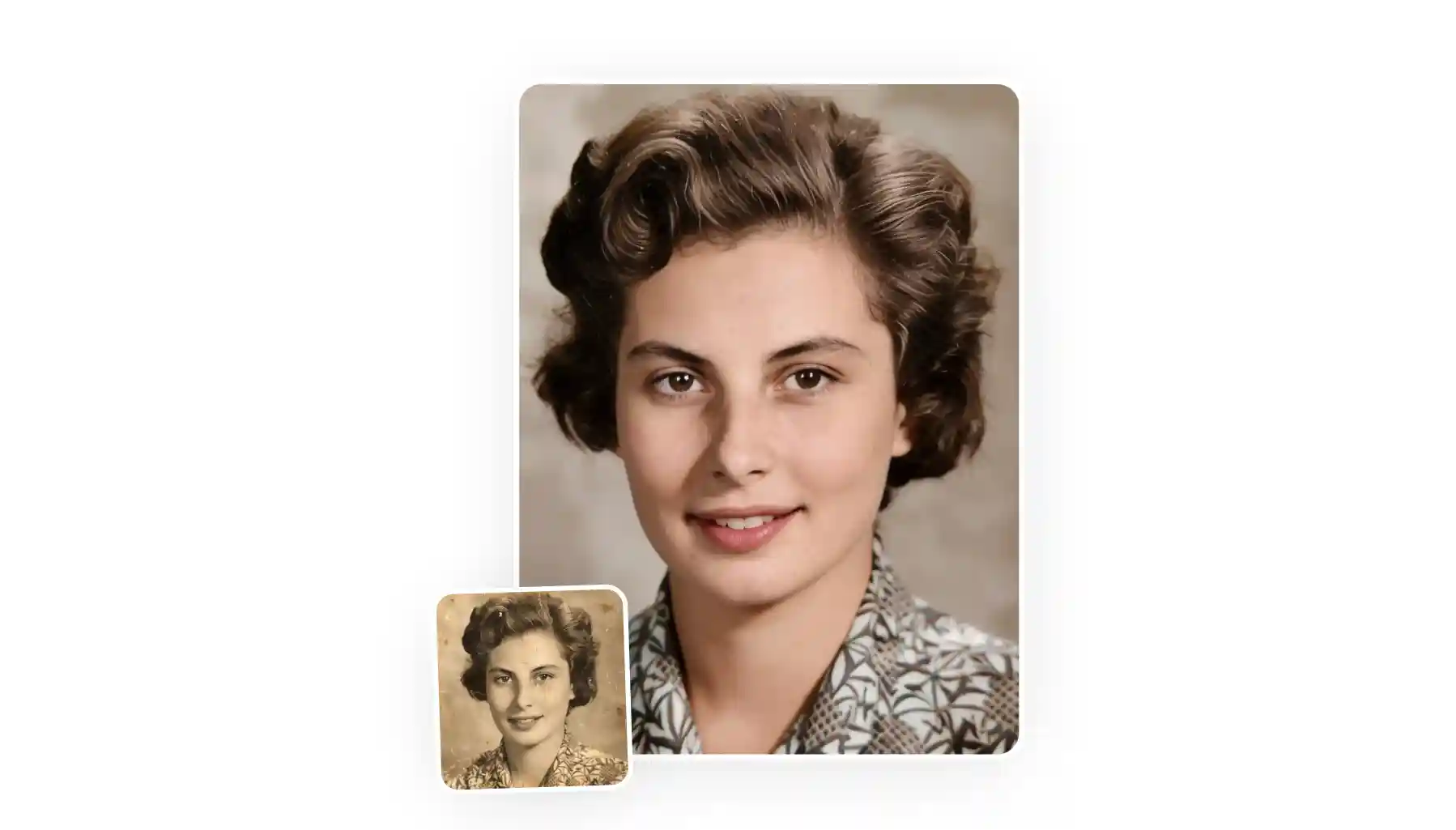
Essas ferramentas conseguem corrigir arranhões, vincos, desbotamento, descoloração e desfoque em uma única passada, em menos de 30 segundos, e muitas delas ainda colorizam imagens em preto e branco automaticamente.
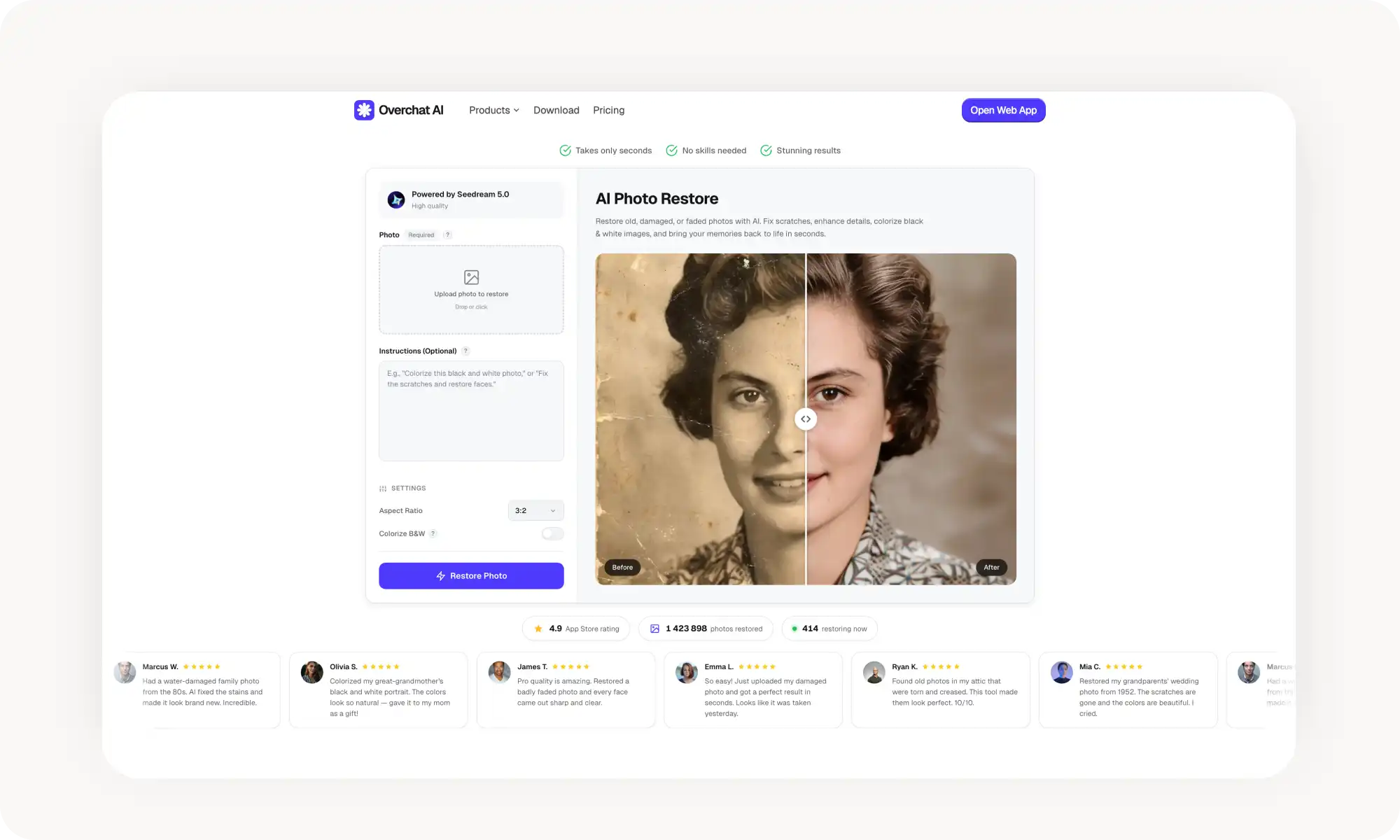
A Overchat AI é a melhor escolha, movida pelo Seedream 5.0, sem cadastro, sem marca d'água, com colorização embutida em um botão, instruções de texto opcionais, e lida com danos físicos melhor do que a maioria dos concorrentes.
O Airbrush é forte no aprimoramento de rostos e na recuperação de cores, com 5 restaurações gratuitas por dia, mas não consegue reparar arranhões, rasgos ou danos físicos — apenas desfoque, desbotamento e baixa qualidade.
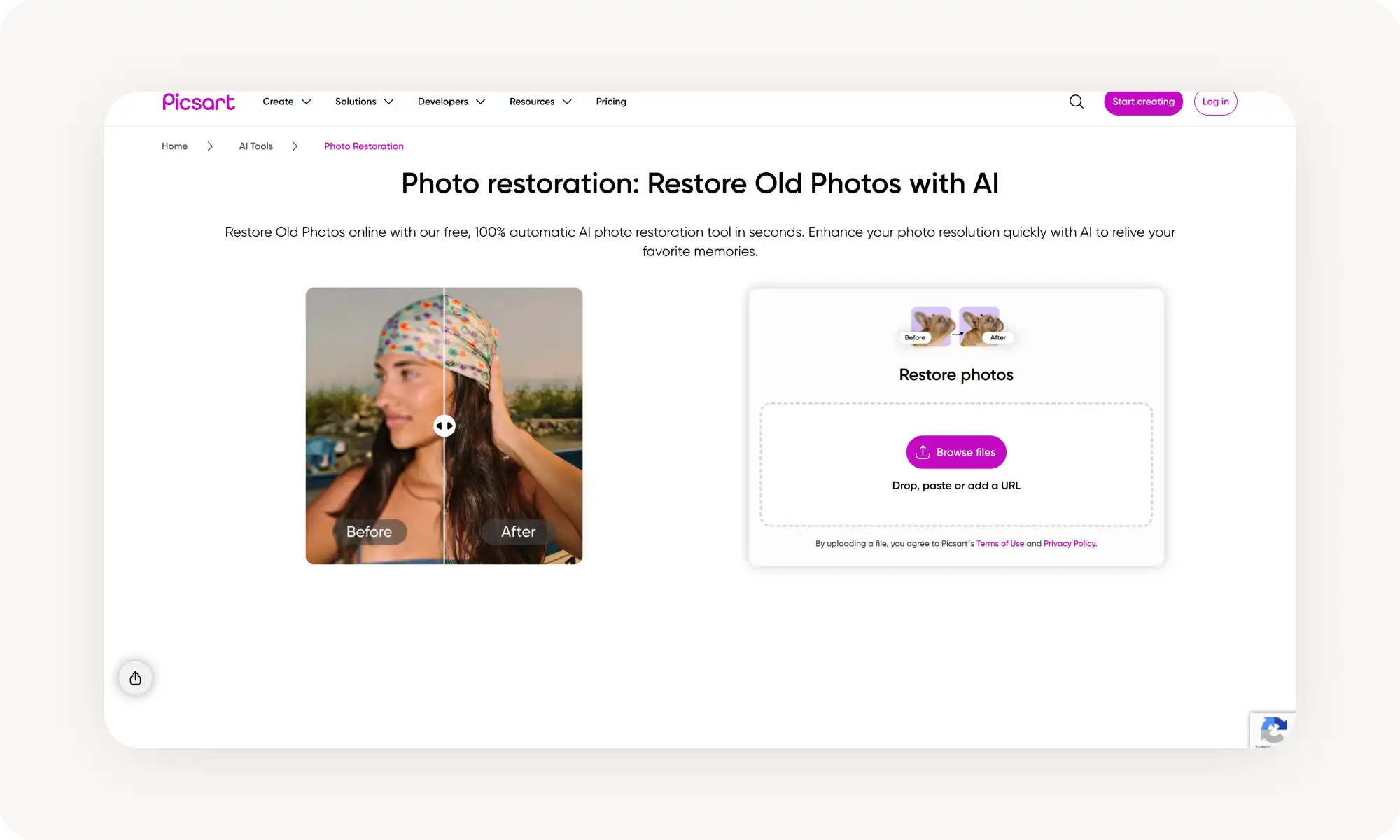
O Picsart se destaca pelo processamento em lote, o que economiza muito tempo na digitalização de álbuns de fotos inteiros, embora seus melhores recursos fiquem bloqueados atrás de uma assinatura Gold de US$ 13/mês.
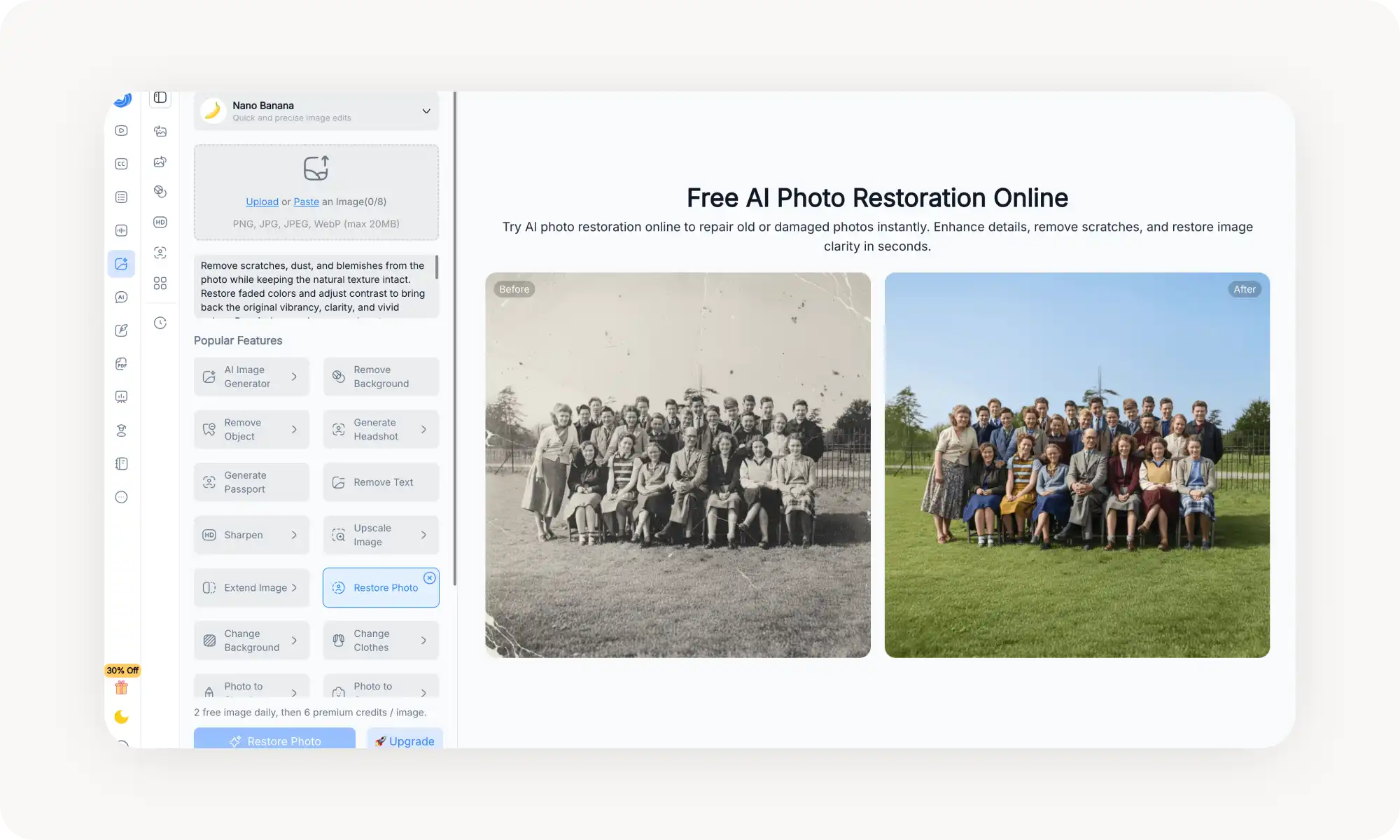
O NoteGPT roda no modelo Nano Banana do Google e aceita uploads grandes, de até 20 MB, com processamento em lote para usuários premium, mas limita os usuários gratuitos a apenas 2 restaurações por dia.
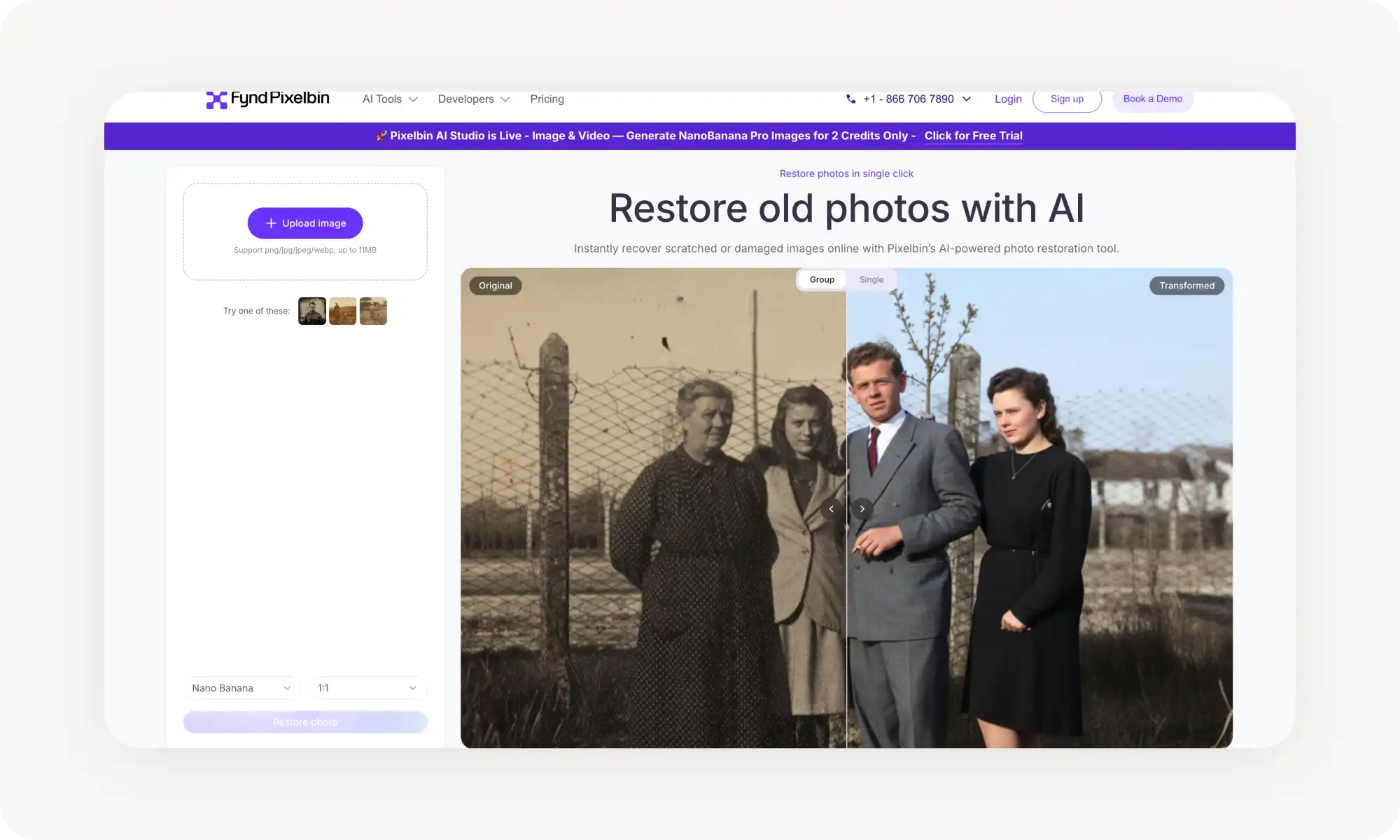
O PixelBin é voltado para empresas, com suporte a API para restauração em massa, mas oferece somente 3 restaurações gratuitas por mês e exige encadear ferramentas separadas para colorização.
A tecnologia avançou a ponto de a restauração por IA igualar o trabalho manual no Photoshop — sem exigir nenhuma habilidade de edição de fotos.
O Que É uma Ferramenta de Restauração de Fotos com IA?
Recentemente, houve um boom de aplicativos online de restauração de fotos com IA — mas o que são eles e como funcionam? Em essência, são ferramentas movidas por modelos de inteligência artificial — normalmente um modelo de difusão imagem-para-imagem — capazes de reparar de forma seletiva as áreas degradadas de uma foto antiga.
Elas fazem isso por meio de um processo chamado inpainting, no qual partes da imagem são regeneradas seletivamente com base no contexto ao redor. Durante esse processo, novos pixels são de fato criados e adicionados à imagem para trazer informações que antes não estavam ali. (Para deixar claro: essas ferramentas funcionam em digitalizações e imagens digitais — não em fotos de papel.)
Isso é algo completamente diferente de, por exemplo, a nitidez, que apenas ajusta os pixels já existentes.
Você deve estar se perguntando o quão bem essas ferramentas realmente restauram fotografias. A resposta é — muito bem. Elas dão conta de arranhões, vincos, desbotamento, descoloração e desfoque em uma única passada, em menos de 30 segundos.
Dito isso, nem todas entregam resultados consistentemente bons, e foi por isso que testamos mais de 25 ferramentas populares e selecionamos as 5 melhores ferramentas de restauração de fotos com IA, que ficaram no topo da lista em velocidade e qualidade. Veja quais foram as escolhidas.
5 das Melhores Ferramentas de IA para Restaurar Fotos Antigas, Lado a Lado
Aqui está uma comparação rápida das 5 melhores ferramentas, num relance:
Plataforma
Plano Gratuito?
Funciona Sem Cadastro?
Colorização?
Preço do Plano Pro
Overchat AI
✅
✅
✅
US$ 14,99/mês ou US$ 49,99/ano
Airbrush
✅
❌
✅
US$ 7,99/mês+
Picsart
✅
❌
❌
US$ 13/mês+
NoteGPT
✅
❌
❌
US$ 9,99/mês+
PixelBin
✅
✅
❌
US$ 25/mês+
Agora vamos analisar cada ferramenta em mais detalhes.
O fluxo de trabalho é simplíssimo: faça o upload da sua foto antiga, escreva (se quiser) uma instrução de texto para guiar a restauração e clique em Restaurar.
Um recurso de que adoramos é o botão de colorização embutido. Se a sua foto for em preto e branco ou sépia, basta ativá-lo para que a IA adicione cor à imagem além de restaurar a qualidade. Queríamos que mais ferramentas tivessem isso.
Além disso, você conta com controles padrão, mas úteis, como a proporção de tela (1:1, 3:2, 4:3, 16:9, 9:16), prática para quem quer reformatar a imagem restaurada para impressão ou para compartilhar.
Prós:
✅ Sem cadastro
✅ Sem marca d'água
✅ Colorização embutida
✅ Instruções de texto opcionais permitem guiar a restauração
✅ Movida pelo Seedream 5.0, um forte modelo de geração imagem-para-imagem
Airbrush
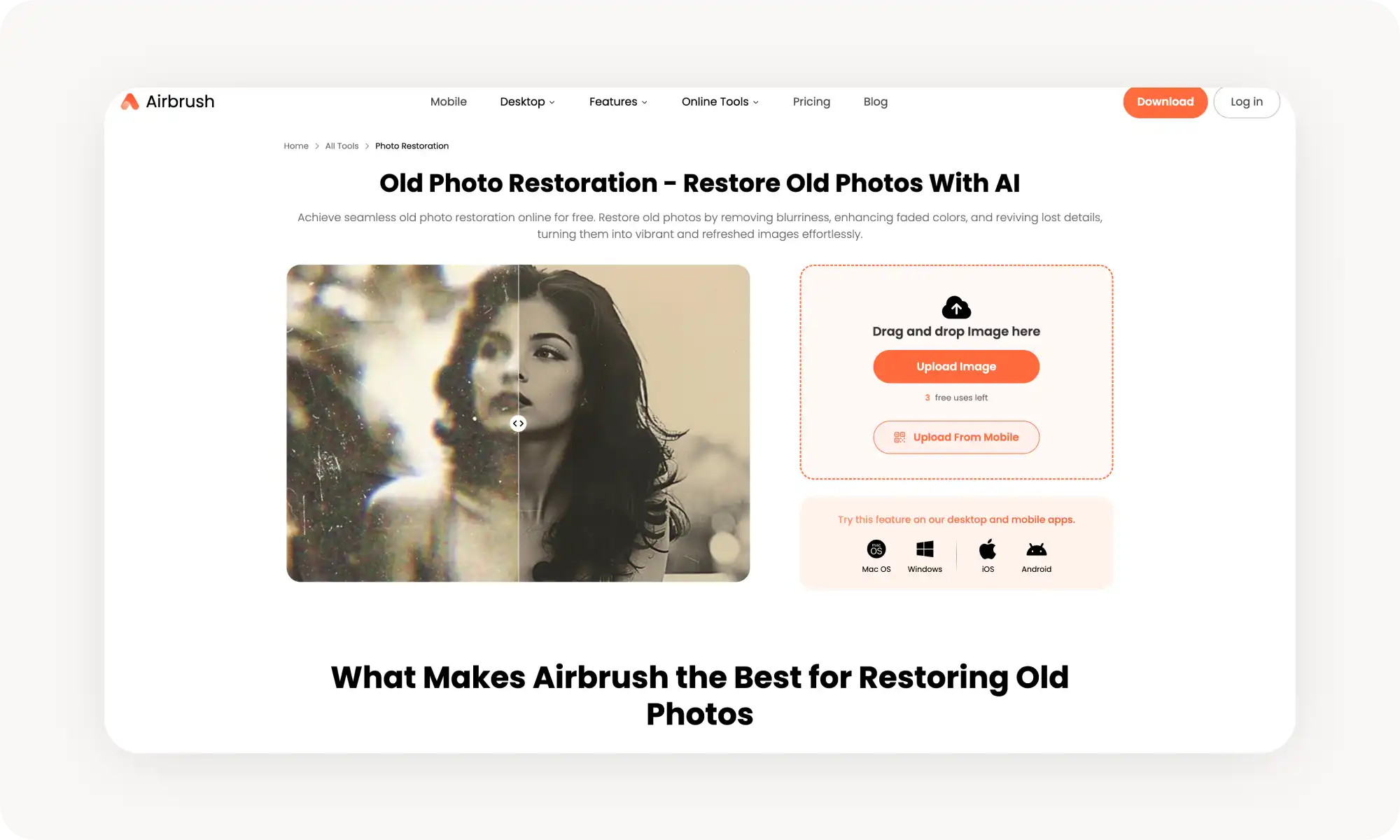
O Airbrush é, antes de tudo, um aplicativo de edição de retratos pensado para o celular, mas sua ferramenta online de restauração de fotos também é bastante competente — especialmente boa em deixar os rostos em fotos antigas nítidos e naturais de novo.
Como de costume nas ferramentas movidas por IA, é muito simples de usar. Basta enviar uma foto e a IA a restaura automaticamente. Assim como a Overchat AI, o Airbrush também tem a opção de colorizar fotos em preto e branco.
No plano gratuito, você tem 5 restaurações grátis por dia na ferramenta web, o que é bem generoso — mas não tão bom quanto a Overchat AI.
Mas há uma grande limitação — o Airbrush não consegue reparar fotos com danos físicos, como arranhões, manchas ou cantos rasgados. Ele foi feito para imagens borradas, desbotadas ou de baixa qualidade, não para fotos que precisam de reparo estrutural.
Se você precisa restaurar sinais de dano físico, a Overchat AI é boa em apagar esse tipo de marca.
Prós:
✅ Forte no aprimoramento de rostos e na recuperação de cores
✅ 5 restaurações grátis por dia na web
✅ Consegue colorizar fotos em preto e branco
Contras:
❌ Exige conta
Não consegue reparar arranhões, rasgos ou manchas
Picsart
O Picsart funciona assim: você envia sua foto e a IA aumenta a nitidez, ajusta a saturação, corrige o desbotamento de cores e melhora a clareza geral sem nenhuma intervenção manual.
O recurso de destaque aqui é o processamento em lote. Se você tem um álbum inteiro de fotos antigas para restaurar, o Picsart deixa você corrigir todas de uma vez, em vez de ir uma por uma. Isso economiza um tempo considerável para quem está digitalizando uma coleção de fotos de família.
Repare, no entanto, que a colorização não é oferecida aqui dentro da mesma ferramenta, embora existam outras ferramentas na plataforma que dão conta disso.
Prós:
✅ Processamento em lote para restaurar várias fotos de uma só vez
✅ Conjunto completo de edição disponível para retoques após a restauração
Contras:
❌ Exige conta
❌ Melhores recursos bloqueados atrás do Picsart Gold (US$ 13/mês)
❌ Sem colorização
NoteGPT
O NoteGPT é conhecido, antes de tudo, como um assistente de aprendizado com IA — ele resume vídeos do YouTube, PDFs e aulas. Mas seu conjunto de edição de imagens, movido pelo modelo Nano Banana do Google, agora inclui uma ferramenta de restauração de fotos que vale a pena considerar.
A ferramenta remove arranhões, poeira e imperfeições enquanto restaura cores desbotadas e realça os detalhes finos. Você pode enviar uma foto (PNG, JPG, JPEG ou WebP, de até 20 MB) e receber uma versão restaurada em segundos. A IA faz um reparo sem perdas, ou seja, corrige os danos sem degradar a qualidade geral da imagem.
O NoteGPT também oferece processamento em lote para usuários premium.
O porém é que o nível gratuito dá apenas 2 restaurações de imagem por dia, e além disso você precisa de créditos premium. O plano Pro começa em US$ 9,99/mês, mas o preço cobre toda a plataforma NoteGPT (resumos, chat de IA etc.), não só a edição de imagens.
Prós:
✅ Aceita uploads de arquivos grandes (até 20 MB)
✅ Processamento em lote para usuários premium
✅ Faz parte de um conjunto mais amplo de edição de imagens
✅ Promete restauração com qualidade sem perdas
Contras:
❌ Exige conta
❌ Apenas 2 restaurações grátis por dia
❌ O plano Pro (US$ 9,99/mês) cobre toda a plataforma NoteGPT, não só a restauração
❌ A restauração de fotos é um recurso secundário, não o foco principal da plataforma
PixelBin
O PixelBin é uma plataforma de processamento de imagens de nível empresarial que também oferece uma ferramenta de restauração de fotos voltada ao consumidor. A ferramenta funciona no navegador, aceita os formatos JPG, JPEG, PNG e WebP (até 11 MB) e permite fazer 3 restaurações gratuitas por mês sem criar conta.
O PixelBin também oferece uma ferramenta separada de colorização, um redutor de ruído e uma ferramenta de correção de cores dentro da mesma plataforma, de modo que você pode encadear várias transformações para montar um fluxo de restauração completo.
Prós:
✅ Sem cadastro para uso básico (3 grátis/mês)
✅ Sem cadastro para uso básico (3 grátis por mês)
✅ Visualização lado a lado para comparar o antes e o depois
✅ Restauração em massa via API para fluxos de trabalho profissionais
Contras:
❌ Apenas 3 restaurações gratuitas por mês — o nível gratuito mais limitado desta lista
❌ Os recursos completos exigem um plano pago baseado em créditos
❌ A colorização é uma ferramenta separada, não integrada ao fluxo de restauração
❌ Plataforma voltada para empresas, que pode parecer complexa demais para uso casual
Perguntas Frequentes (FAQ)
Qual é a melhor ferramenta gratuita de restauração de fotos com IA?
A Overchat AI é a melhor ferramenta gratuita de restauração de fotos com IA: ela funciona sem criar conta, não adiciona marca d'água, inclui um botão de colorização embutido e usa um modelo de edição imagem-para-imagem muito avançado, capaz de corrigir arranhões e outras formas de dano físico ao mesmo tempo em que realça o contraste e a clareza — o que, somado, faz dela o conjunto de recursos mais completo desta lista.
A restauração de fotos com IA consegue corrigir arranhões e rasgos?
Depende da ferramenta. A Overchat AI, o Picsart, o NoteGPT e o PixelBin conseguem lidar com arranhões e danos físicos em diferentes graus. O Airbrush atualmente não consegue — ele se limita a corrigir desfoque, desbotamento e degradação de cor. Para impressões muito danificadas, ferramentas movidas por modelos de geração baseados em difusão tendem a entregar os melhores resultados.
Dá para colorizar fotos em preto e branco com essas ferramentas?
Sim — a Overchat AI, por exemplo, tem a colorização integrada diretamente à ferramenta de restauração, em forma de botão, o que torna a experiência mais fluida. Outras plataformas de edição de fotos com IA, como o Picsart e o PixelBin, oferecem o recurso como uma ferramenta separada dentro da mesma plataforma.
Quanto tempo leva a restauração de fotos com IA?
A maioria das ferramentas entrega resultados em menos de 30 segundos. A Overchat AI e o Airbrush são particularmente rápidos — ambos devolvem as imagens restauradas em poucos segundos após o upload.
Conclusão
As ferramentas de restauração de fotos com IA ficaram tão avançadas que você consegue resultados tão bons quanto os de uma restauração manual, de graça, em questão de segundos. Elas também são uma opção bem melhor do que o retoque no Photoshop para a maioria das pessoas, porque você não precisa de nenhuma habilidade de edição de fotos para obter resultados incríveis — essas ferramentas são totalmente automáticas e trabalham no piloto automático.
Principais conclusões:
As ferramentas de restauração de fotos com IA usam modelos de geração de imagem por IA (imagem-para-imagem) e uma tecnologia chamada inpainting para reconstruir as partes danificadas das imagens.
Ao contrário de simples filtros de nitidez ou controles de contraste, elas criam novas informações de forma inteligente em vez de apenas ajustar os pixels existentes, regenerando ou repintando as partes da imagem escondidas sob as áreas danificadas para combinar com o resto da fotografia.
Ao mesmo tempo, essas ferramentas realçam o contraste, a clareza e, às vezes, também adicionam cor ou aumentam a saturação de forma natural, caso a imagem fosse originalmente colorida.
Procure ferramentas com colorização embutida — é um ótimo recurso para fotos em preto e branco e sépia, e pode realmente dar vida àquelas imagens monocromáticas antigas.
A Overchat AI é a melhor ferramenta de restauração de fotos no geral: é gratuita, não exige cadastro, inclui colorização, aceita instruções de texto e produz resultados de qualidade profissional sem marca d'água.