Mudar a Cor do Cabelo com IA: as 5 Melhores Ferramentas Comparadas
Last Updated:
2026-09-08
Mudar a Cor do Cabelo com IA: as 5 Melhores Ferramentas Comparadas
Pintar o cabelo é um compromisso e tanto — tem o custo da ida ao salão, o medo psicológico de acabar com um tom que não combina com você e o fato de que não dá para simplesmente voltar à cor anterior com facilidade.
Mas e se você pudesse visualizar o novo visual antes de se comprometer? É aí que entram as ferramentas para mudar a cor do cabelo com IA — ferramentas online que mostram, em segundos e de forma realista, como você ficaria com uma cor de cabelo diferente.
Essa tecnologia funciona de verdade. As ferramentas para trocar a cor do cabelo não são apenas uma novidade passageira — fazem parte do mercado global de IA na beleza que, segundo a InsightAce Analytic, deve alcançar uma avaliação de US$ 33,75 bilhões até 2035. Em outras palavras, muita gente já está usando esses recursos.
Mas quais ferramentas de simulação de cor de cabelo funcionam melhor? Neste artigo, respondemos a essa pergunta, comparamos as principais opções e detalhamos seus prós e contras. Vamos começar.
As ferramentas para mudar a cor do cabelo com IA usam modelos de geração de imagem-para-imagem para recriar fotos de forma realista com uma nova cor de cabelo, levando em conta iluminação, textura e qualidade do fio com muito mais precisão do que os filtros tradicionais.
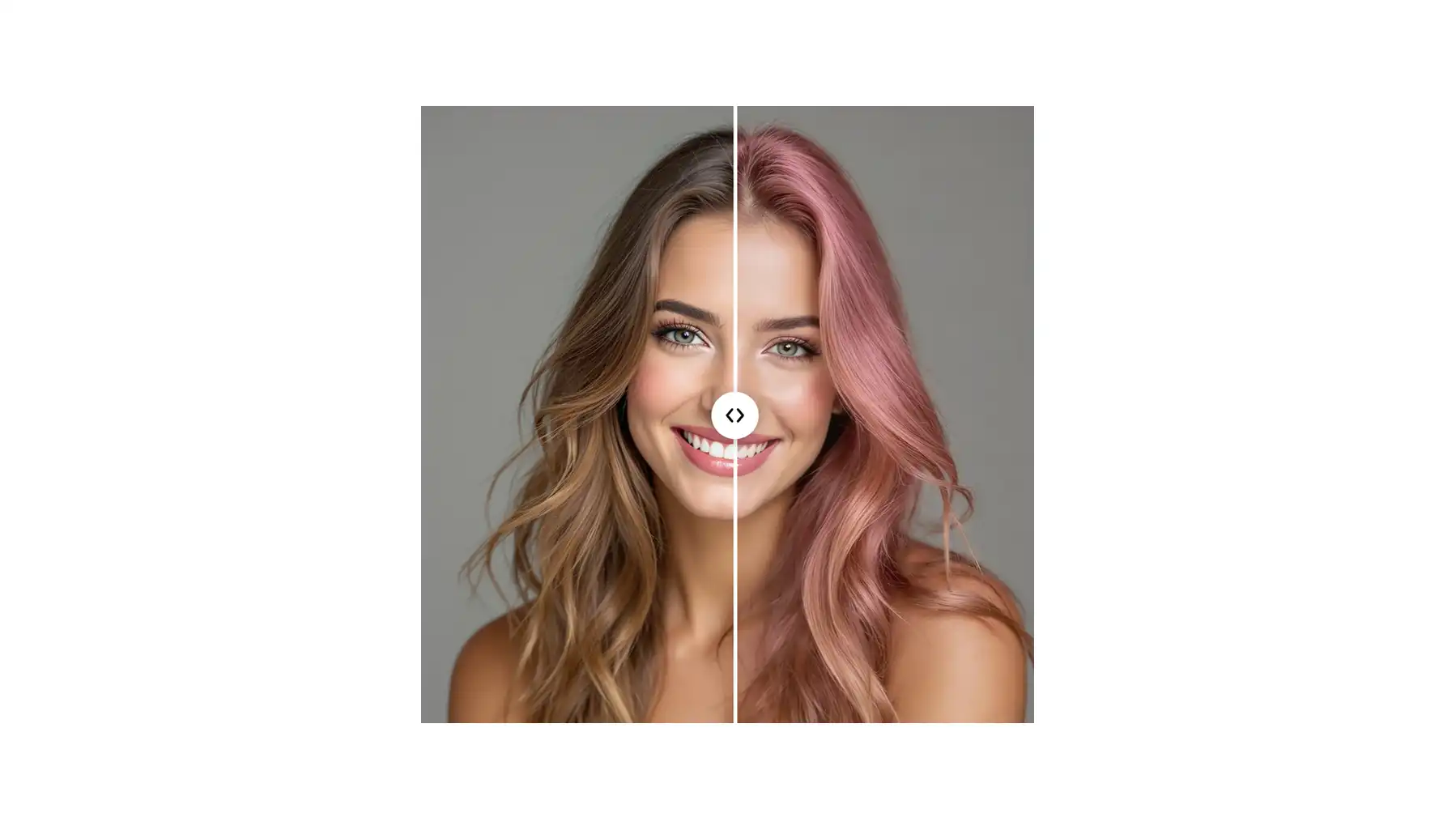
A Overchat AI é a melhor escolha — não exige cadastro, conta com um modelo de IA avançado que entrega resultados realistas, opções de acabamento (natural, brilhante, fosco), downloads sem marca d'água e um controle deslizante de antes e depois.
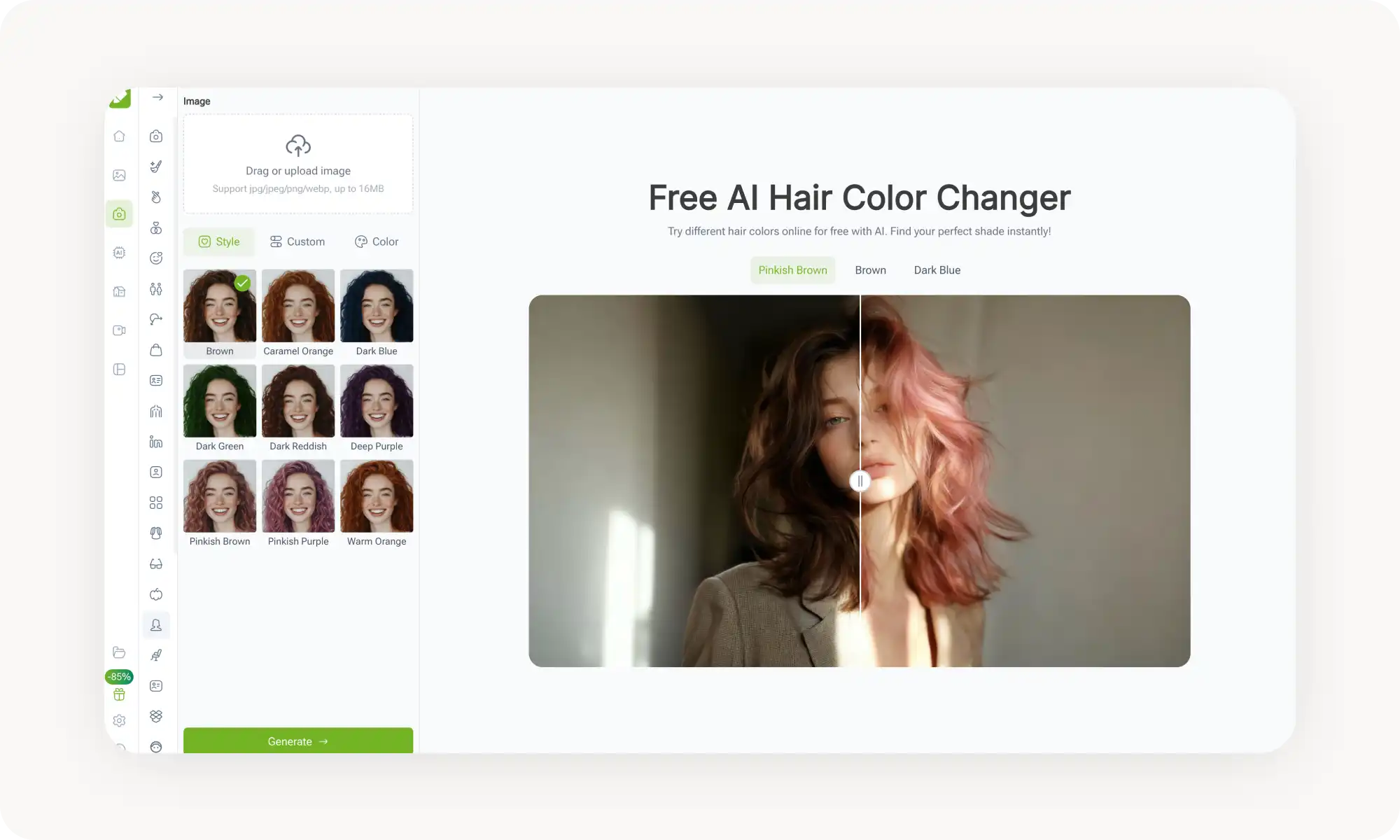
A VisualGPT oferece opções de cor diferenciadas, como marrom rosado e roxo rosado, com processamento rápido e uma avaliação de usuários acima de 4,9, mas não tem controles de acabamento e intensidade.
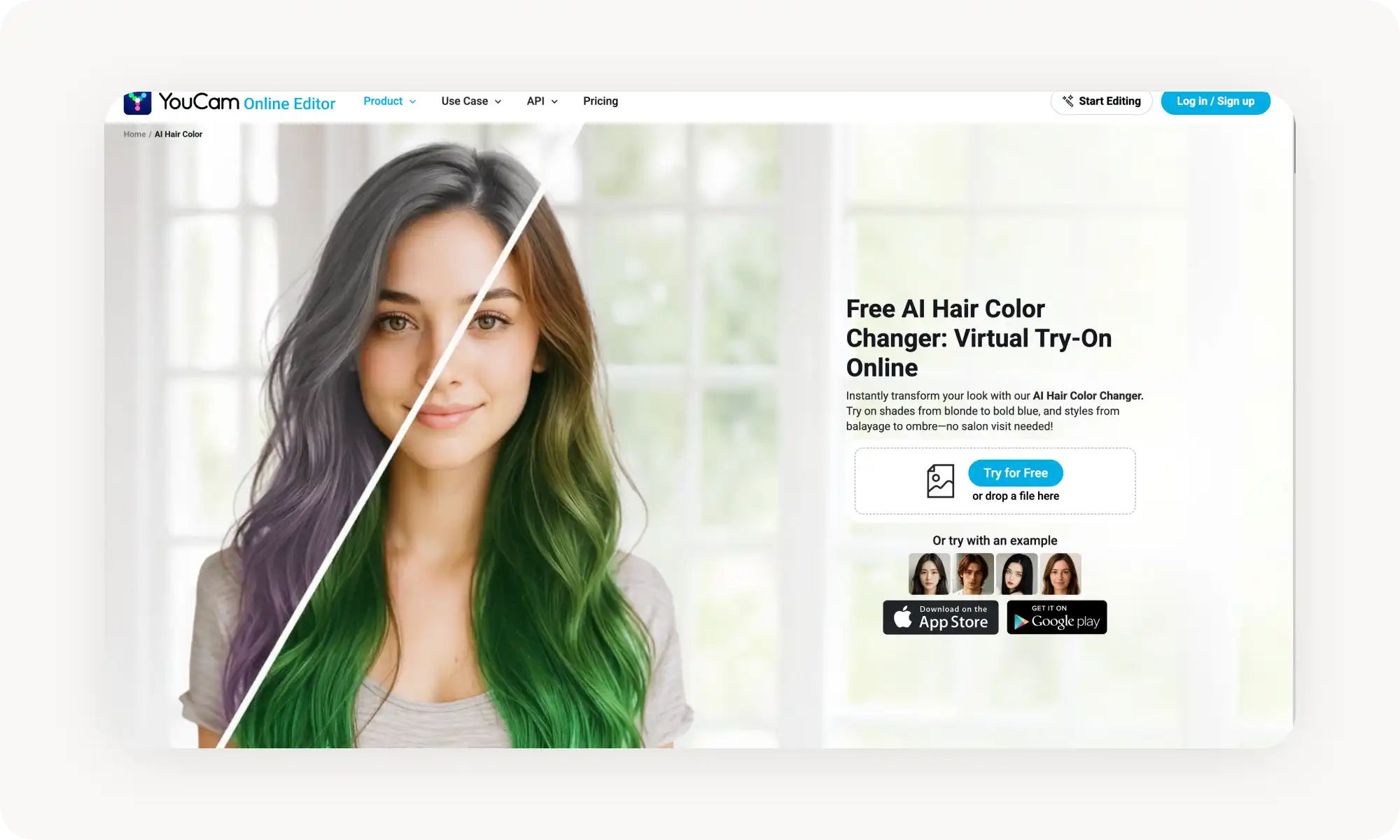
A YouCam, da Perfect Corp, se destaca pela intensidade e brilho ajustáveis, pela visualização em tempo real pela câmera do celular e por um quiz que combina cores com o seu tom de pele — embora a interface possa parecer poluída com sugestões de upgrade.
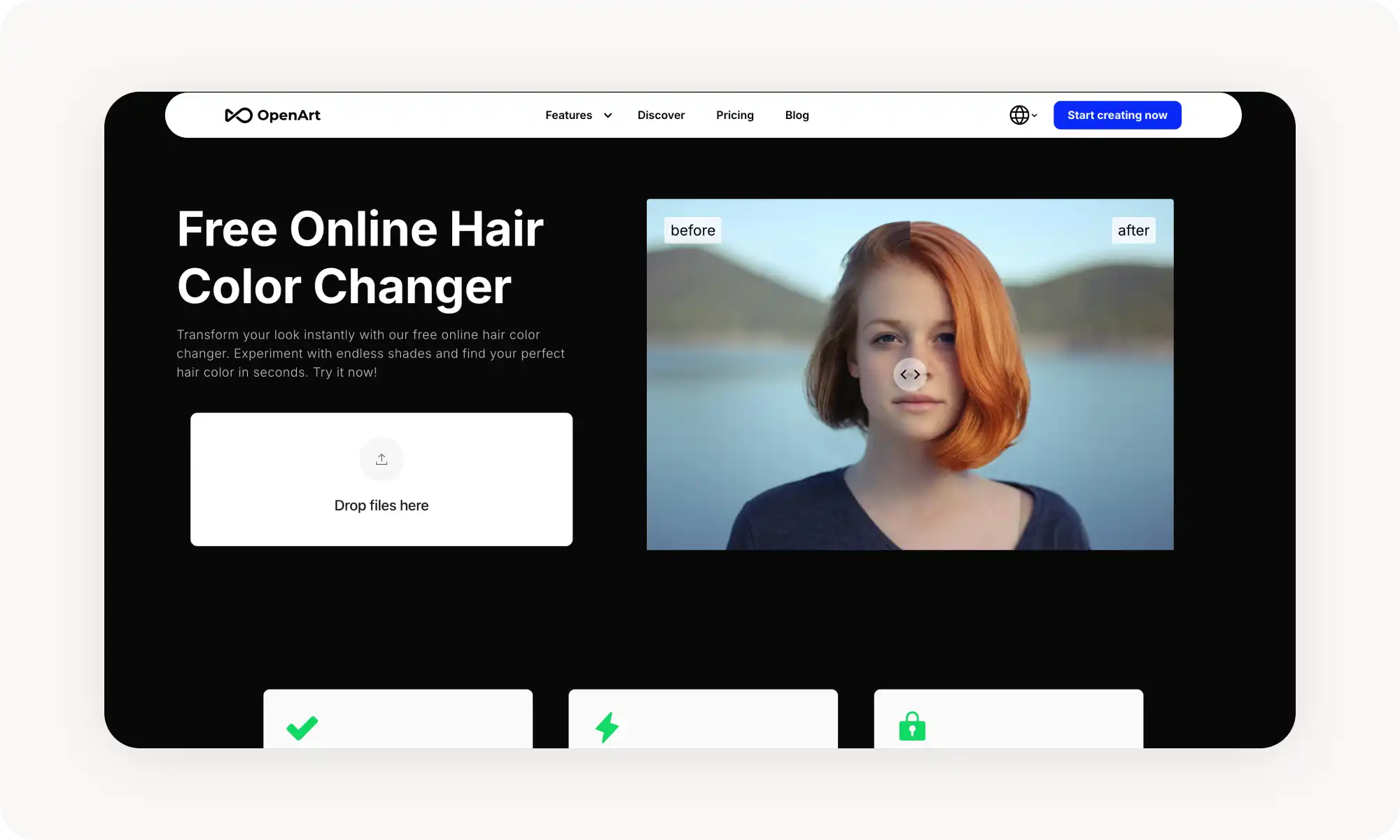
A OpenArt adota uma abordagem original baseada em prompts — você descreve qualquer cor em texto simples e ela gera quatro variações por solicitação, mas os resultados são menos previsíveis do que os de paletas pré-definidas.
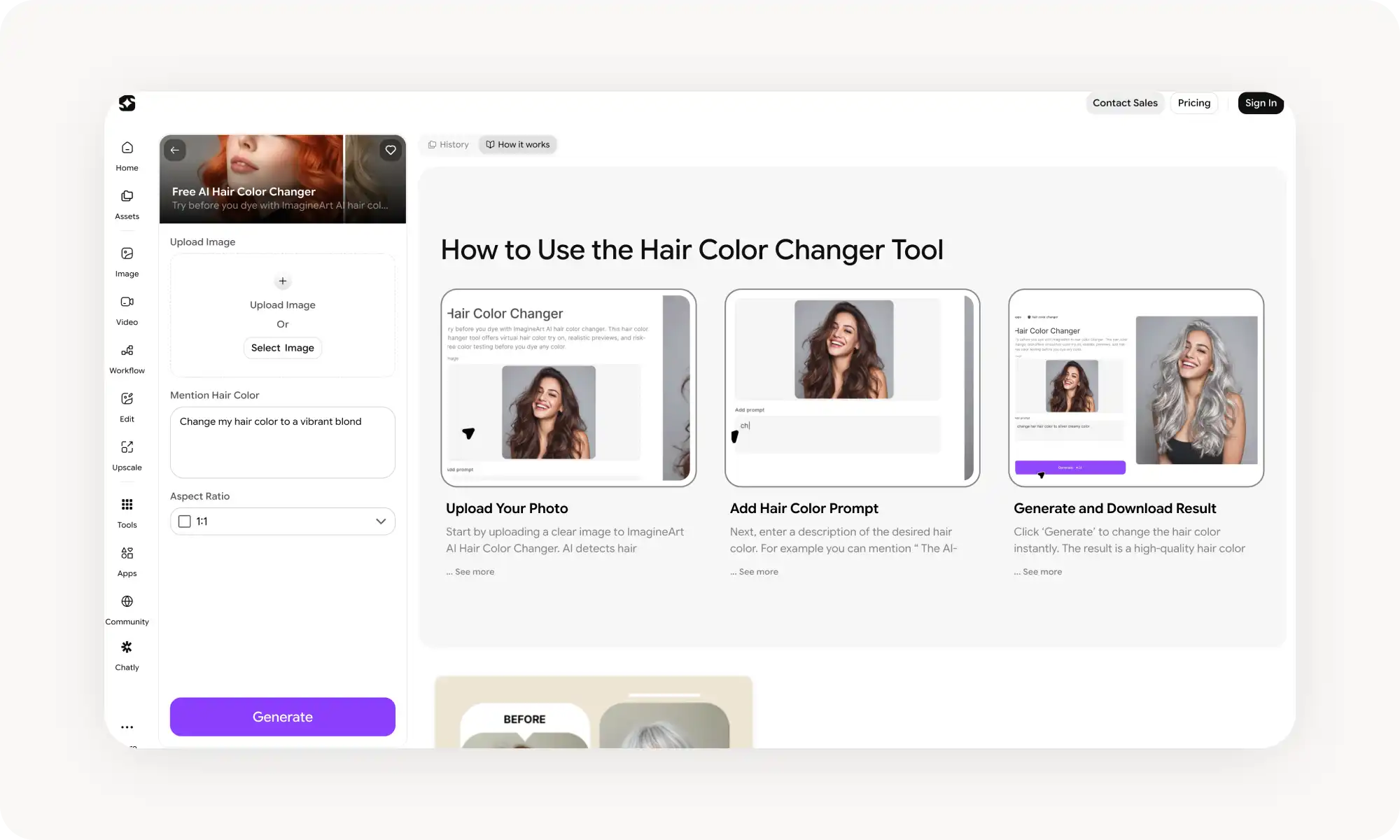
A Imagine Art funciona na web, no iOS e no Android e permite comparar vários visuais lado a lado, embora os créditos gratuitos acabem rápido e a paleta de cores seja mais limitada.
Todas as cinco ferramentas oferecem acesso gratuito, preservam a semelhança de forma confiável e mantêm as fotos enviadas em segurança.
Essas ferramentas são precisas o suficiente para ajudar os usuários a reduzir as opções de cor de cabelo antes de ir ao salão — ou simplesmente para experimentar por diversão, sem se comprometer com uma mudança real.
O Que É uma Ferramenta para Mudar a Cor do Cabelo com IA?
Em poucas palavras, uma ferramenta para mudar a cor do cabelo com IA é um recurso na web ou em aplicativo que usa inteligência artificial para alterar a cor do cabelo em uma foto.
Dito isso, há muito mais acontecendo nos bastidores. Essas ferramentas usam modelos de IA de geração de imagem-para-imagem para criar uma cópia realista da foto que você envia, na qual tudo é recriado fielmente, exceto o cabelo, cuja cor é alterada. Por que isso importa? Porque os resultados são muito mais realistas do que um simples filtro — eles levam em conta a iluminação, como a tintura afetaria a textura e a qualidade do fio e muito mais, oferecendo uma prévia natural de como a cor realmente ficaria. Elas também trazem extras, como a possibilidade de ajustar finamente o resultado ou até escolher um tom específico por meio de um seletor de cores.
Isso parece avançado — e é mesmo —, mas, na prática, essas ferramentas são extremamente fáceis de usar: você envia uma foto nítida que mostre o rosto e o cabelo, escolhe uma cor a partir de uma paleta ou prévia, e a IA gera o resultado em poucos segundos.
5 das Melhores Ferramentas para Mudar a Cor do Cabelo com IA Comparadas
Testamos mais de 20 ferramentas para mudar a cor do cabelo com IA e reduzimos a lista a 5 que valem mesmo a pena experimentar. Veja como elas se comparam, num panorama geral:
Ferramenta
O que gostamos
Plano Gratuito
Preços
Overchat AI
Entrega os resultados mais realistas
✅
Pro: US$ 14,99/mês ou US$ 49,99/ano
VisualGPT
Rápida para começar a usar
✅
US$ 4,99/mês+
YouCam (Perfect Corp)
Muitos estilos
✅
US$ 9,99/mês+
OpenArt
Interface fácil de usar
✅
US$ 14/usuário/mês+
Imagine Art
Faz parte de uma plataforma enorme
✅
US$ 30/mês+
Agora, vamos analisar cada ferramenta mais de perto:
1. Overchat AI
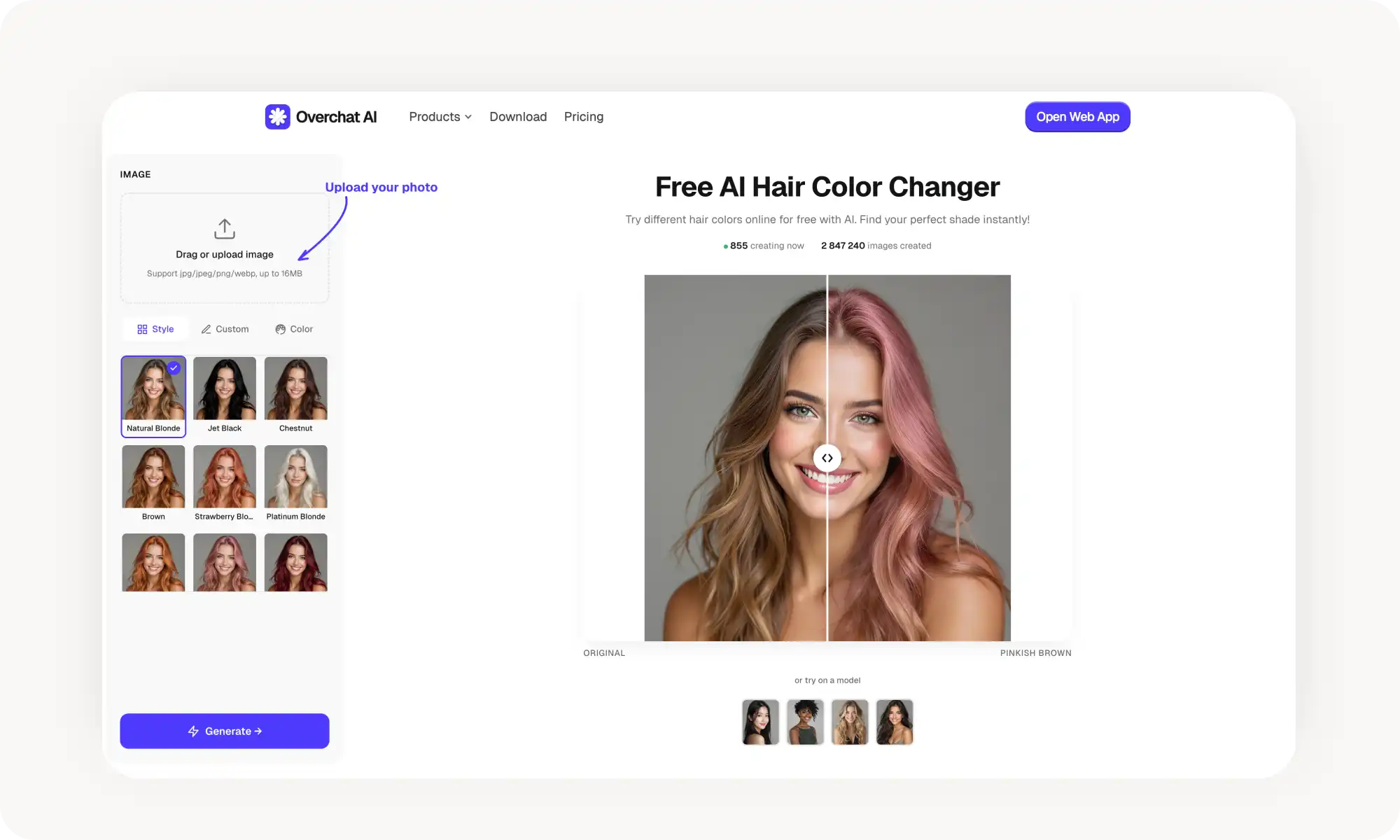
A ferramenta de mudança de cor de cabelo da Overchat AI permite escolher entre tons pré-definidos — preto, castanho, loiro, ruivo, acobreado, platinado, azul, roxo e muito mais — ou selecionar uma cor a partir de uma amostra.
A ferramenta usa um modelo avançado de inteligência artificial que gera prévias excepcionalmente realistas, com iluminação fiel e textura natural, permitindo que você realmente veja como ficaria a transformação do seu cabelo com qualquer cor escolhida.
Você não precisa se cadastrar nem criar uma conta — basta enviar uma foto (JPG, PNG, WebP ou HEIC de até 16 MB), escolher suas opções e baixar o resultado sem marca d'água. Um controle deslizante de comparação antes e depois permite ver a mudança lado a lado.
Prós:
✅ Não exige cadastro — comece na hora
✅ Opções de acabamento (natural, brilhante, fosco) trazem mais realismo
✅ Sem marca d'água nos downloads gratuitos
✅ Controle deslizante de antes e depois e galeria para comparar com facilidade
✅ Funciona em computador, tablet e celular
2. VisualGPT
A VisualGPT é outra ferramenta popular de mudança de cor de cabelo nesta lista. Basta enviar uma foto, escolher uma cor e obter os resultados em segundos.
Segundo seus criadores, mais de 50 milhões de imagens já foram criadas com a plataforma, que ostenta uma excelente avaliação de usuários acima de 4,9 — o que combina com a experiência positiva que tivemos durante os testes.
Além das cores padrão, você também encontra tons exóticos, como marrom rosado e roxo rosado, então dá para visualizar tanto cores do dia a dia quanto opções mais ousadas. O modelo de IA que move a plataforma é sólido e faz um bom trabalho preservando a semelhança, embora não seja tão refinado nesse aspecto quanto a Overchat AI.
Outro ponto negativo é a personalização limitada: sem opções de acabamento, sem controles deslizantes de intensidade e sem efeitos de múltiplos tons.
Prós:
✅ Opções de cor diferenciadas
✅ Processamento rápido
✅ Resultado de alta qualidade
Contras:
❌ Apenas cores pré-definidas
❌ Sem controles de acabamento ou intensidade
3. YouCam, da Perfect Corp
A ferramenta de mudança de cor de cabelo da YouCam vem da Perfect Corp, um dos maiores nomes da tecnologia de beleza em realidade aumentada — seus aplicativos já ultrapassaram a impressionante marca de 1 bilhão de downloads, e isso se reflete no produto. A YouCam é uma ferramenta repleta de recursos.
A variedade de cores é realmente ampla, indo de tons naturais como loiro, castanho e preto a opções de fantasia como platinado, azul-petróleo e lavanda.
Você também pode ajustar a intensidade e o brilho da cor do cabelo, o que dá um controle minucioso sobre o visual final. Há ainda um quiz "Qual cor de cabelo combina comigo?" que recomenda tons com base no seu tom de pele. A YouCam funciona tanto como ferramenta na web quanto como aplicativo móvel para iOS e Android, então você pode usar a câmera do celular para prévias em tempo real.
Prós:
✅ Ampla variedade de cores
✅ Intensidade e brilho ajustáveis
✅ Prévia em tempo real pela câmera no celular
✅ Combinação com o tom de pele
Contras:
❌ Aplicativo móvel é necessário para os recursos em tempo real
❌ A versão web tem menos recursos do que o aplicativo
❌ A interface pode parecer poluída com sugestões de upgrade
4. OpenArt
Com a OpenArt, em vez de escolher de uma paleta pré-definida, você descreve a cor de cabelo que deseja em texto simples. A ferramenta usa uma abordagem de "localizar e substituir": ela detecta o cabelo na sua foto e o troca pela cor que você especificar.
A contrapartida é a previsibilidade. Cores pré-definidas entregam resultados consistentes, enquanto prompts de texto podem variar de uma geração para outra. A OpenArt compensa isso gerando quatro variações por solicitação, para que você escolha a melhor. A ferramenta aceita uploads em JPEG, PNG, GIF, WebP e SVG de até 10 MB.
Vale notar, porém, que a ferramenta de mudança de cor de cabelo da OpenArt faz parte de um conjunto maior de edição com IA que inclui inpainting, ampliação e remoção de fundo — o que pode ser uma vantagem dependendo das suas necessidades.
Prós:
✅ Descreva qualquer cor que você imaginar
✅ Gera várias variações por solicitação
✅ Faz parte de um conjunto mais amplo de edição com IA
Contras:
❌ Os resultados podem variar conforme a forma como a IA interpreta o seu prompt
❌ Menos intuitiva do que a seleção de cor por clique
5. Imagine Art
A Imagine Art fecha a lista com uma ferramenta de mudança de cor de cabelo que funciona na web, no iOS e no Android. Basta enviar uma foto, a IA identifica seu cabelo automaticamente e você seleciona entre as cores disponíveis para visualizar o resultado.
O que mais gostamos é como a Imagine Art permite comparar vários visuais antes de decidir por um — bem prático se você está reduzindo as opções antes de ir ao salão.
O plano gratuito oferece um número determinado de créditos, e você precisará de uma assinatura paga para mais gerações. O suporte multiplataforma significa que você pode começar no notebook e continuar de onde parou pelo celular.
Prós:
✅ Disponível na web, no iOS e no Android
✅ Resultados realistas
✅ Compare vários visuais lado a lado
Contras:
❌ Os créditos gratuitos acabam rápido
❌ A paleta de cores é mais limitada
❌ Menos recursos avançados
Perguntas Frequentes (FAQ)
Quão precisas são as ferramentas para mudar a cor do cabelo com IA?
Muito precisas — elas levam em conta a textura do seu cabelo, a iluminação da foto e os reflexos naturais. São confiáveis o suficiente para ajudar você a reduzir as opções com segurança.
Essas ferramentas são gratuitas?
Todas as cinco ferramentas desta lista oferecem acesso gratuito, e a Overchat AI tem o plano gratuito mais generoso do grupo.
Qual é o melhor aplicativo para mudar a cor do cabelo?
A Overchat AI lidera a lista graças ao seu plano gratuito generoso, às várias formas de escolher uma cor e a um modelo de IA avançado que entrega resultados altamente realistas. A prévia de antes e depois é um bônus e tanto também.
Minhas fotos estão seguras?
Sim — ferramentas de IA confiáveis levam a privacidade a sério e mantêm seus dados protegidos. Todas as cinco ferramentas desta lista vêm de empresas consolidadas que oferecem ecossistemas completos de produtos de IA e são usadas, com confiança, por centenas de milhares de pessoas todos os meses.
Conclusão
A tecnologia de geração de imagens em 2026 ficou tão boa que você consegue uma prévia incrivelmente realista de uma nova cor de cabelo em apenas alguns cliques. Veja os principais pontos:
As ferramentas de mudança de cor de cabelo usam modelos de geração de imagem com IA para produzir prévias realistas
Elas são muito mais precisas do que os filtros de foto tradicionais
A Overchat AI é a melhor ferramenta para mudar a cor do cabelo com IA entre as que testamos — e também tem o plano gratuito mais generoso
Use essas ferramentas antes de se comprometer com uma nova cor — elas vão ajudar você a evitar erros caros e a encontrar um tom que realmente combine com você
Ou simplesmente divirta-se experimentando — publique fotos suas com uma cor de cabelo completamente diferente sem precisar mudá-la na vida real. Esse também é um uso perfeitamente válido dessas ferramentas.